



Spectrum
A color palette generator plugin for Figma and Framer that helps designers create and apply beautiful color palettes effortlessly.
Score
60
User Rating
3.0
Free/Trial Support
Not Supported
Starting Price
$29/lifetime
Last Updated
Apr 24, 2026
Overview
What is Spectrum?
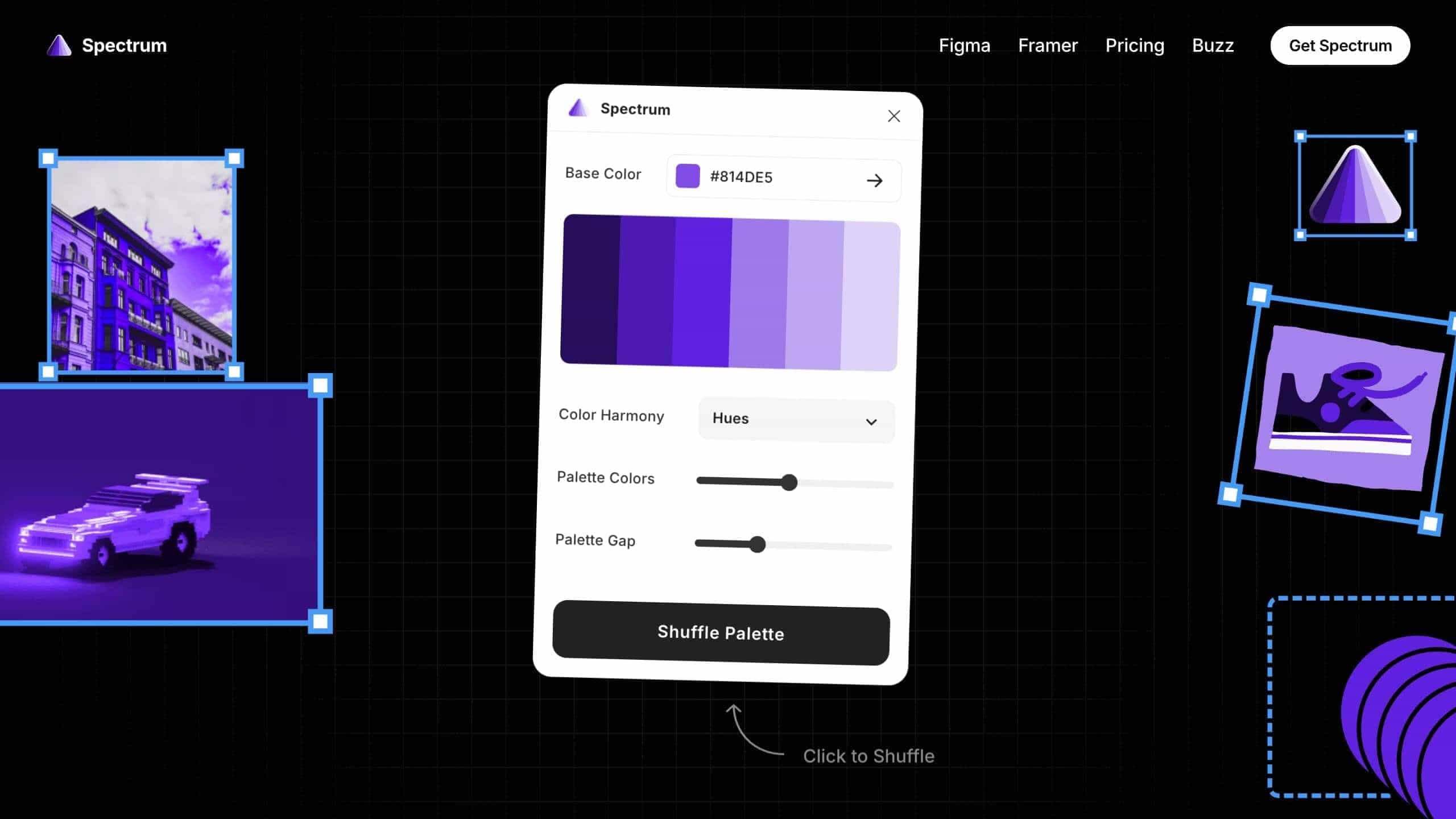
Spectrum is a plugin for Figma and Framer that generates color palettes from base colors or images, allowing designers to apply them directly to designs in real-time.
What is Spectrum used for?
User Groups
Top Features
- Generate color palettes from base colors
- Extract palettes from images or designs
- Apply palettes directly to designs in real-time
- Preview themes across projects
- One-click application to frames and components
How to use Spectrum?
Install the plugin in Figma or Framer, select a base color or extract from an image, generate palettes, and apply them to illustrations, interfaces, or components with one click.
Alternative Tools
No alternative tools found
Pros & Cons
Pros
- Saves time by eliminating manual color editing
- Real-time application speeds up design iteration
- Easy to use with no tool switching
- Supports multiple projects and devices
Cons
- Limited to Figma and Framer platforms
- May require learning for advanced features
Use Cases
- Creating cohesive color themes for websites
- Designing interfaces with consistent color schemes
- Experimenting with color palettes for illustrations
Spectrum Pricing
One-Time Plan
Figma
$29/lifetimeOne-time purchase for Figma plugin
- Unlimited Figma plugin license
- Multiple projects and devices
- 14-day free trial
Framer
$29/lifetimeOne-time purchase for Framer plugin
- Unlimited Framer plugin license
- Multiple projects and devices
- 14-day free trial
Framer
$49/lifetimeBundle for both Figma and Framer plugins
- Unlimited Figma & Framer plugin license
- Multiple accounts, projects and devices
- 14-day free trial
User Reviews
3.0
out of 5
3.0
No reviews yet
Be the first to review this tool!